Let's be honest: the world of work changed forever in 2020, and there's no going back. By 2026, working from home isn't some trendy perk companies offer to seem cool—it's become the standard for millions of people. But just because you can work in your pajamas doesn't mean you know how to do it effectively.
I learned this the hard way. When I first started working remotely, I thought it would be easy. Just open the laptop, answer some emails, done. Three months later, I was burned out, couldn't remember what day it was, and had accidentally become the person who attends meetings still wearing a bathrobe. Not my finest hour.
This guide is everything I wish someone had told me before I started. No fluff, no generic advice that assumes you have a dedicated home office and a supportive family. Just real talk about how to actually make remote work happen in 2026.
What Kind of Work-From-Home Jobs Actually Exist?
First things first: not every job can be done from home, and that's okay. But you'd be surprised how many roles that sound "office-only" have gone remote. Here's the realistic landscape:
- Customer Service Representatives: Companies like Amazon, Shopify, and hundreds of startups need people to handle customer inquiries. Most provide equipment. Pay typically ranges from $15-22/hour.
- Software Developers and Engineers: This remains one of the highest-demand remote fields. If you can code, the world's your oyster. Senior developers can command $120,000+ annually working fully remote.
- Virtual Assistants: Entrepreneurs and executives are constantly hiring help with administrative tasks, email management, calendar coordination, and project work. Rates vary from $15-40/hour depending on skills.
- Online Tutors and Educators: With the explosion of e-learning, qualified tutors in subjects like math, science, languages, and test prep are in constant demand. Platforms like VIPKid and Wyzant make it easy to get started.
- Digital Marketers: SEO specialists, social media managers, content creators, and PPC experts are all needed remotely. This field has a low barrier to entry but excellent earning potential as you build skills.
- Healthcare Roles: Telehealth has exploded. Medical coders, billers, nurses, and even some physicians now work remotely. These typically require certifications but offer stability and good pay.
- Data Entry and Transcription: Not glamorous, but legitimate. These roles work well for beginners or as supplemental income. Expect $12-18/hour for data entry, higher for specialized transcription.
- Sales Representatives: Inside sales has gone almost entirely remote. If you have a gift for persuasion, many companies offer base salary plus commission with uncapped earning potential.
Setting Up Your Home Office (Without Breaking the Bank)
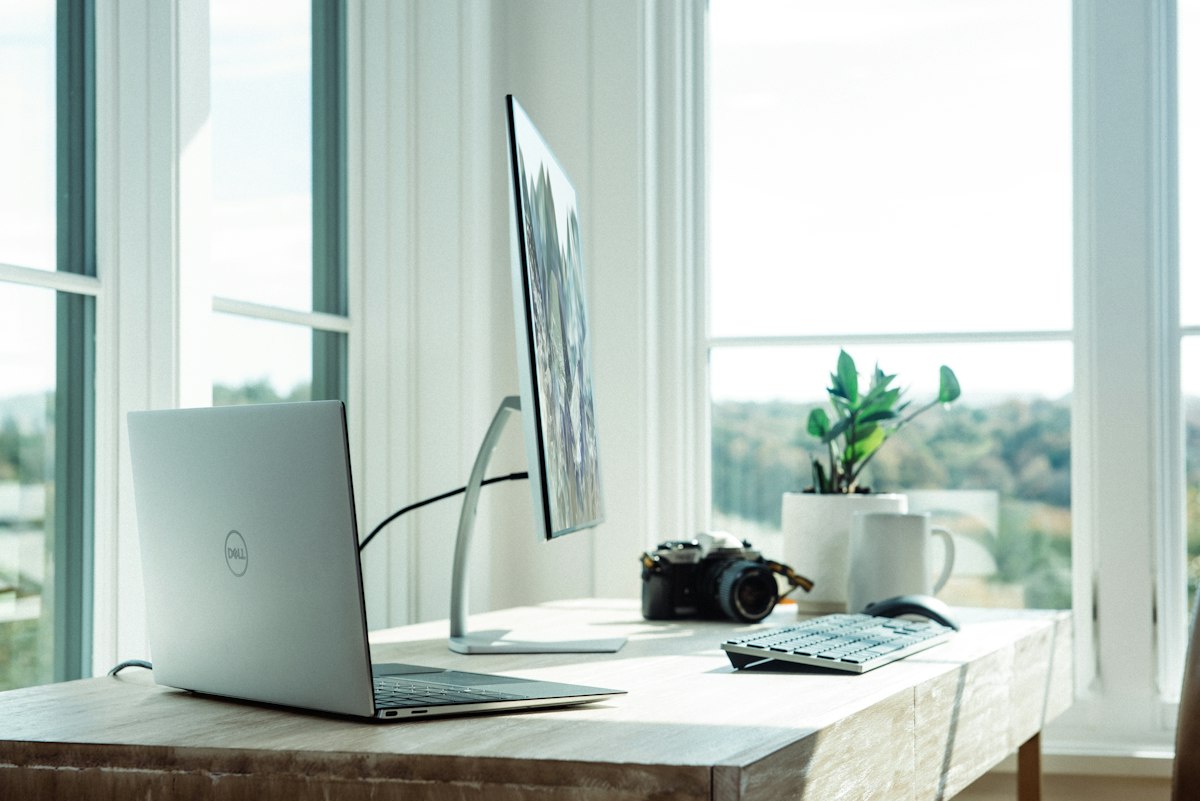
Your workspace matters more than you think. I know people who started their remote career working from their couch, and most of them either burned out or saw their productivity plummet within weeks. Your brain needs environmental cues to know when it's time to work versus when it's time to relax.
You don't need a fancy converted garage or a Pinterest-perfect corner office. What you do need is:
- A dedicated space: Even if it's just a corner of your bedroom with a room divider, having a defined "work zone" helps tremendously.
- A real chair: Please, for the love of your spine, don't work from your bed or a kitchen chair indefinitely. An ergonomic chair is an investment in your health. You can find decent ones for $150-300.
- Decent internet: This should go without saying, but ensure you have reliable high-speed internet. If you live in a rural area, look into Starlink or other satellite options that have improved dramatically.
- Good lighting: Natural light is ideal, but if that's not available, a quality desk lamp reduces eye strain and makes video calls look professional.
- Noise control: A good pair of noise-canceling headphones ($100-300) might be the best investment you make. They're non-negotiable if you have kids, pets, or noisy neighbors.
Essential Tools for Remote Work
In 2026, the remote work toolkit has gotten sophisticated. Here's what you actually need:
- Laptop: Most remote jobs provide their own, but if you're job hunting, a reliable laptop is essential. Think 16GB RAM minimum, decent processor.
- Project Management Software: Whether it's Asana, Monday.com, Trello, or Notion, you'll need to track tasks and collaborate with teams. Learn at least one deeply.
- Video Conferencing: Zoom, Google Meet, and Microsoft Teams are the standards. Have all three installed and know the basics of each.
- Communication Tools: Slack for instant messaging, email for formal communication. Set boundaries on notification settings to avoid burnout.
- Cloud Storage: Google Drive, Dropbox, or OneDrive. You'll need somewhere to store and share files.
- Time Tracking: If you're freelancing, tools like Toggl or Clockify help you understand where your hours go. For employment roles, some companies require time tracking software.
Avoiding Work-From-Home Scams
Here's the uncomfortable truth: the work-from-home space is absolutely crawling with scams. Every legitimate opportunity has fifty fake ones lurking behind it. I got burned twice before I learned to spot the red flags.
Warning signs that scream "scam":
- You have to pay money upfront to get a job. Legitimate employers pay you, not the other way around.
- Promises of earning $500/day with "just a few hours of work." If it sounds too good to be true, it is.
- Vague job descriptions that don't specify what you'll actually be doing.
- Companies that only communicate via email and have no verifiable web presence.
- Requests for your Social Security number or bank details before you've signed any employment paperwork.
- Guaranteed income regardless of how much you work.
Stick to well-known platforms like LinkedIn, Indeed, and FlexJobs when job hunting. Research companies thoroughly before applying. Legitimate remote jobs from established companies absolutely exist—you don't have to resort to sketchy "envelope stuffing" offers you found in a Facebook group.
Managing Work-Life Balance When Home Becomes Work
This is where most people struggle, and honestly, where I struggled the most. When your office is twenty feet from your bedroom, the lines get blurry fast.
What actually works:
- Have a start and end time: Treat your remote work like a real job. Set alarms for when you start and when you stop. When the end-of-day alarm goes off, close the laptop.
- Create a pre-work ritual: Some people shower and get dressed before work. Others take a walk around the block. The point is creating a mental separation between "home mode" and "work mode."
- Communicate boundaries to family members: If you live with others, they need to understand that when you're "at work," you're not available for random conversations or favors.
- Take actual breaks: Step away from your desk for lunch. Walk around. Stare at something that isn't a screen. Revolutionary concept, I know.
- Have a shutdown ritual: Some people write tomorrow's to-do list. Others close all work tabs and say "work day complete." Find what signals to your brain that the workday is done.
- Use your PTO: Just because you're not going anywhere doesn't mean you can't take a mental health day. Disconnect completely.
The Bottom Line
Working from home in 2026 is genuinely one of the best professional decisions many people make. The flexibility, eliminated commute time, and ability to design your own environment are incredible perks. But it requires intentionality. You can't just show up—you have to create the conditions for success.
The good news? You don't need to figure everything out at once. Start with the basics, build good habits gradually, and remember that finding your rhythm is a process. Some people adapt immediately; others take months. Both are fine.
Ready to take the next step? Check out our side hustle calculator to see how much you could earn with different work-from-home opportunities, or browse our complete guide to the best side hustles that actually pay.